

ListView
<ListView> is a UI component that shows items in a vertically scrolling list. To set how the list shows individual items, you can use the <template> element.
<ListView :items="listOfItems" @itemTap="onItemTap">
  <template #default="{ item, index, even, odd }">
    <!-- Shows the list item label in the default color and style. -->
    <StackLayout>
      <Label :text="item" />
      <Label :text="`Item index ${index}`" />
      <Label :text="`Is even ${even}`" />
      <Label :text="`Is odd ${odd}`" />
    </StackLayout>
  </template>
</ListView>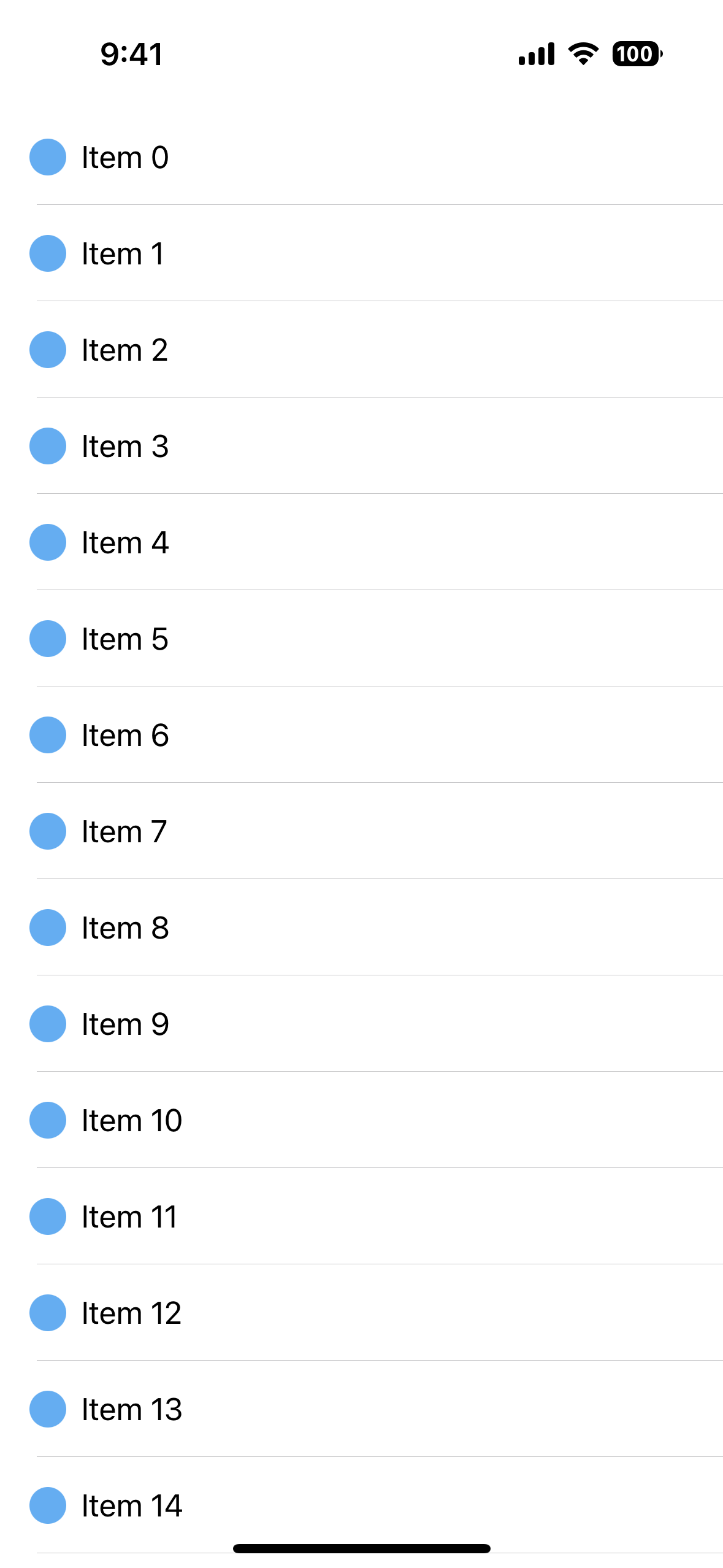
Using <ListView> with multiple <template> slots
Each named slot becomes a native item template, keyed by the slot name. itemTemplateSelector is called with the ListItem context and returns the name of the slot to use for that item. When it returns nothing, #default is used.
<script lang="ts" setup>
import type { ListItem } from 'nativescript-vue';

function itemTemplate(args: ListItem<CustomType>) {
  return args.item.type === 'header' ? 'header' : 'default';
}
</script>

<template>
  <ListView :items="listOfItems" :itemTemplateSelector="itemTemplate">
    <template #default="{ item }">
      <Label :text="item.text" />
    </template>

    <template #header="{ item }">
      <!-- For items with a type of header, shows the label in red. -->
      <Label :text="item.text" color="red" />
    </template>
  </ListView>
</template><script setup>
function itemTemplate(args) {
return args.item.type === 'header' ? 'header' : 'default';
}
</script>
<template>
<ListView :items="listOfItems" :itemTemplateSelector="itemTemplate">
<template #default="{ item }">
<Label :text="item.text" />
</template>
<template #header="{ item }">
<!-- For items with a type of header, shows the label in red. -->
<Label :text="item.text" color="red" />
</template>
</ListView>
</template>Every template must render exactly one root element — a dev warning is logged otherwise, and only the first root is used. Comments are ignored. If a template renders nothing at all, a <Label :text="item" /> is rendered as a fallback.
Updating the items
items accepts a plain array, a ref to one, or a NativeScript ObservableArray.
With a plain (reactive) array, both in-place mutations — push, splice, index assignment — and replacing the array refresh the list:
items.value.push(newItem); // refreshes
items.value.splice(0, 1); // refreshes
items.value = [...otherItems]; // refreshes
An ObservableArray notifies the native ListView of its own changes, so no refresh is performed for it.
Changing itemTemplateSelector also refreshes the list.
Wrapping <ListView> in your own component
A component can forward every template it receives to an inner <ListView> and supply its own fallbacks, so consumers can style cells without reaching for the ListView directly.
<!-- ListViewWrapper.vue -->
<script setup lang="ts">
import type { ListItem } from 'nativescript-vue';

defineProps<{
  items: unknown[];
  itemTemplateSelector?: (ctx: ListItem) => string;
}>();
</script>

<template>
  <ListView :items="items" :itemTemplateSelector="itemTemplateSelector">
    <template v-for="(_, name) in $slots" :key="name" #[name]="scope">
      <slot :name="name" v-bind="scope" />
    </template>
    <template v-if="!$slots.default" #default="{ item }: ListItem">
      <Label :text="`fallback: ${item}`" />
    </template>
  </ListView>
</template><!-- ListViewWrapper.vue -->
<script setup>
defineProps({
items: Array,
itemTemplateSelector: Function,
});
</script>
<template>
<ListView :items="items" :itemTemplateSelector="itemTemplateSelector">
<template v-for="(_, name) in $slots" :key="name" #[name]="scope">
<slot :name="name" v-bind="scope" />
</template>
<template v-if="!$slots.default" #default="{ item }">
<Label :text="`fallback: ${item}`" />
</template>
</ListView>
</template>Consumers pass templates as they would to a <ListView>, and get the fallback when they don't:
<ListViewWrapper :items="items">
  <template #default="{ item }">
    <Label :text="item.title" />
  </template>
</ListViewWrapper>
View recycling
<ListView> only creates the views needed to display the currently visible items, and reuses views that have scrolled off-screen. This concept is called view recycling and is commonly used in mobile apps to improve performance.
Each cell is a regular Vue subtree with its own item/index scope, so per-item listeners such as @tap="onTap(item)" work inside a template. Because the same component instance is shown for different items as you scroll, don't keep per-item state in a cell's own refs — derive everything from item.
ListView Props
| Name | Type | Description |
|---|---|---|
items | Array<any>, Ref<Array<any>>, ObservableArray<any> | The items to be shown in the <ListView>. |
itemTemplateSelector | (item: ListItem) => string | A function to be called when selecting the template for the item. |
Any other attribute is passed straight to the native ListView — rowHeight, separatorColor, iosEstimatedRowHeight, height and the rest are documented in the NativeScript ListView props.
Template Scoped Slots
The template receives a ListItem<T> object composed of the following properties.
| Name | Type | Description |
|---|---|---|
item | T | Item of array. |
index | number | Index of the current item. |
even | boolean | true if the index of the current item is even. |
odd | boolean | true if the index of the current item is odd. |
The type is exported for use in your own components:
import type { ListItem } from 'nativescript-vue';Events
| Name | Description |
|---|---|
itemTap | Emitted when an item in the <ListView> is tapped. |
loadMoreItems | Emitted when the user reaches the end of the <ListView>. Useful for loading additional items (ie. infinite scroll). |
The itemTap payload is the native ItemEventData (eventName, object, view, index, ...) merged with the tapped item's ListItem context — item, index, even and odd. Its type is exported as ListViewItemTapEvent<T>:
import type { ListViewItemTapEvent } from 'nativescript-vue';

function onItemTap(event: ListViewItemTapEvent<Item>) {
  console.log(event.item, event.index);
}function onItemTap(event) {
console.log(event.item, event.index);
}See the full documentation for NativeScript ListView events.
Complete documentation
Native component
| Android | iOS |
|---|---|
android.widget.ListView | UITableView |